 SpaceWarden
Where did
700 GB go?
SpaceWarden scans your whole drive in seconds, shows exactly what's taking the space, and clears the junk — into the Recycle Bin, never into the void.
Free for 14 days. Everything on. Nothing to sign up for.
- 3.8 sto scan a 1 TB drive
- 0files deleted permanently
- 30 daysof undo on every clean-up
- 0accounts, ads, upsells or scare counts
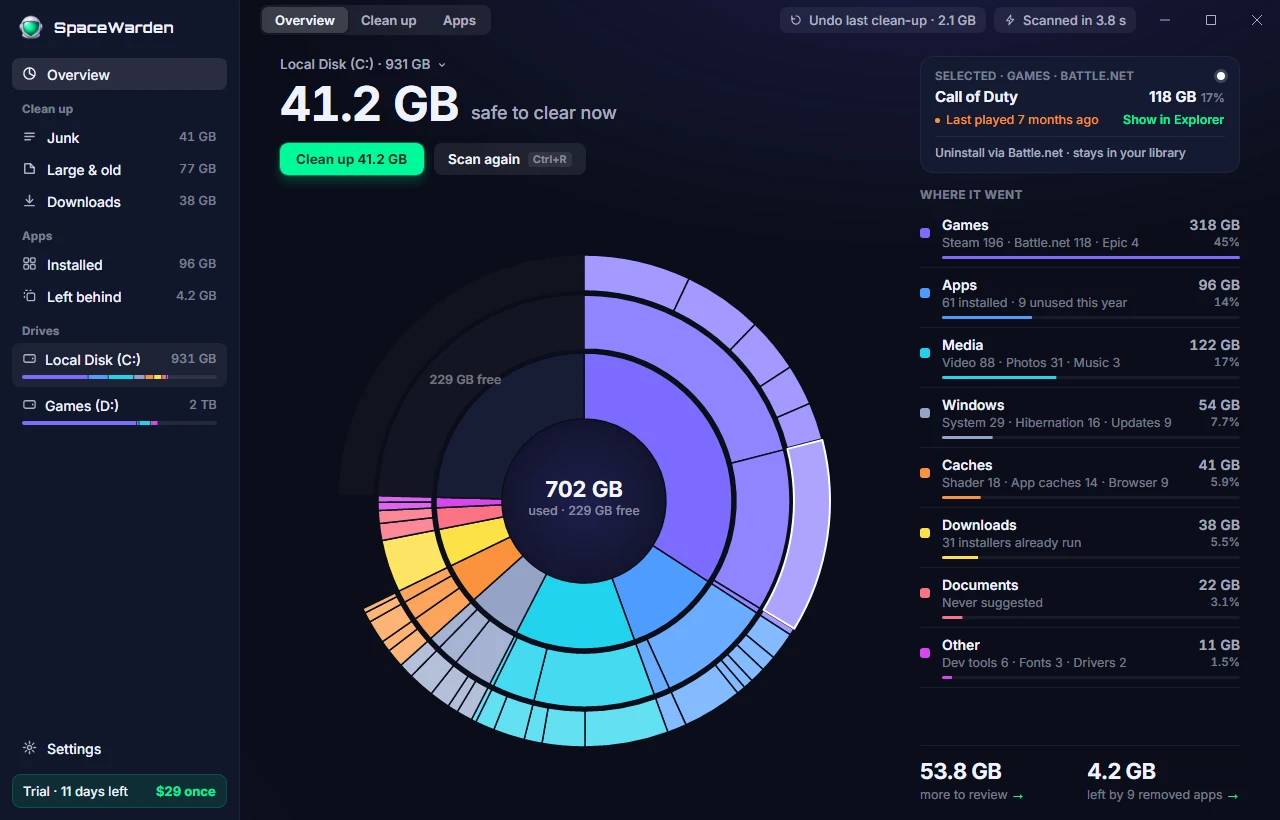
Every byte,
mapped.
One ring, three levels deep. Click a slice to see what it is, when you last touched it, and the right way to get rid of it.
- Games
- Apps
- Media
- Caches
- Downloads
- + 3 more
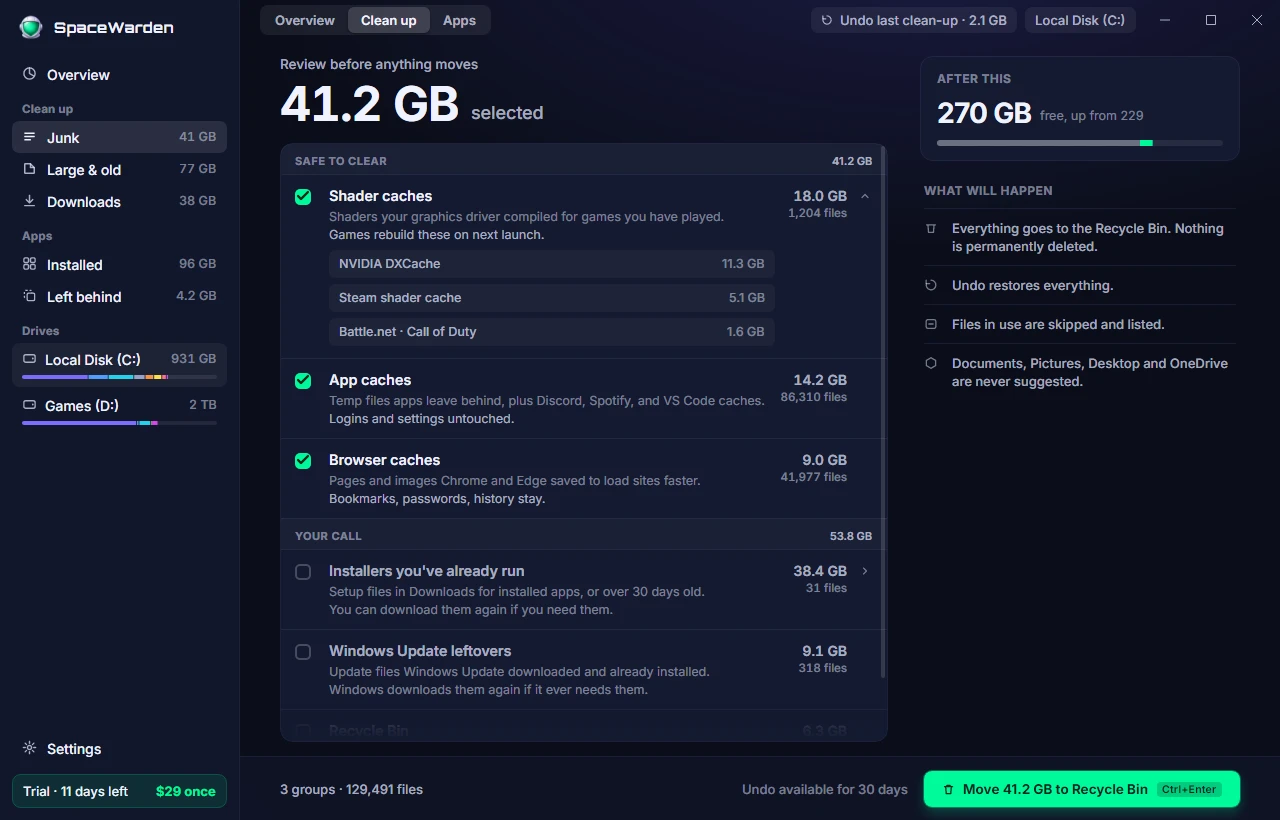
Junk, sorted by
how safe it is.
Shader caches, app caches, browser caches: safe to clear, pre-selected. Installers, update leftovers, the Recycle Bin: your call, never pre-selected. Every item says what it is and what happens when it goes.
- Safe to clear
- Your call
- Review before anything moves
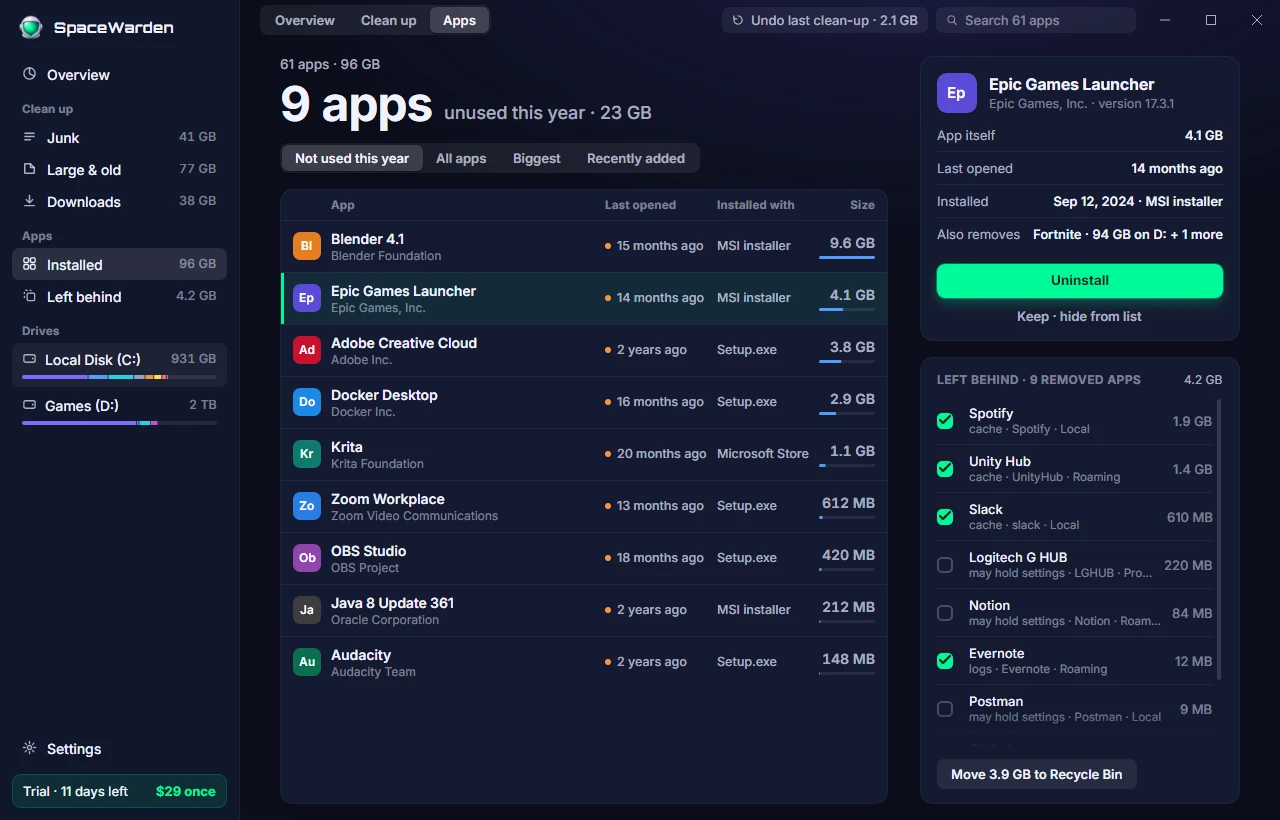
The apps you
forgot about.
Sorted by when you last opened them. Uninstall through each app's own uninstaller, then sweep up what it left behind.
- Last opened
- Installed with
- Left behind
Nothing is ever
permanently deleted.
- Everything goes to the Recycle Bin. Undo any clean-up for 30 days.
- Documents, Pictures, Desktop and OneDrive are never suggested. Not even as "your call".
- No registry cleaner. No scare counts. No bundled offers. No "free scan, pay to fix".
- Nothing about your files ever leaves your PC.
$29once.
No subscription. One year of updates included, and the app keeps working forever after that.
Secure checkout by Paddle · VAT handled · 30-day refund, no questions
Everything, on one license
- The whole app. No tiers, no "Pro".
- Your own PCs — up to 3 at once.
- Every update for a year.
- Works forever on the version you have.
- Extend updates later, only if you want to.
- 14-day trial first. No account, no card.
Questions.
Does it need admin rights?
Yes, to read the drive's index directly — that's why a scan takes seconds instead of minutes. The window you click in never runs elevated; a small helper does, only while scanning or cleaning.
Can it delete something I need?
Nothing is permanently deleted. Everything goes to the Recycle Bin, every clean-up can be undone for 30 days, and your personal folders are never suggested.
Does it send anything anywhere?
Three things, and only these: starting your trial, activating your license, checking for updates. Crash reports are off unless you turn them on, and never include file names.
Which Windows?
Windows 10 and 11, 64-bit. NTFS drives get the fast scan; other drives still work, just slower.
What if I get a new PC?
Deactivate the old one from Settings, or from the device page with a link we email you. No account to log into.
Is it a subscription?
No. $29 once. Updates for a year are included; after that the app keeps working, and extending updates is optional.
Take your disk back.
Free for 14 days. Everything on. Nothing to sign up for.